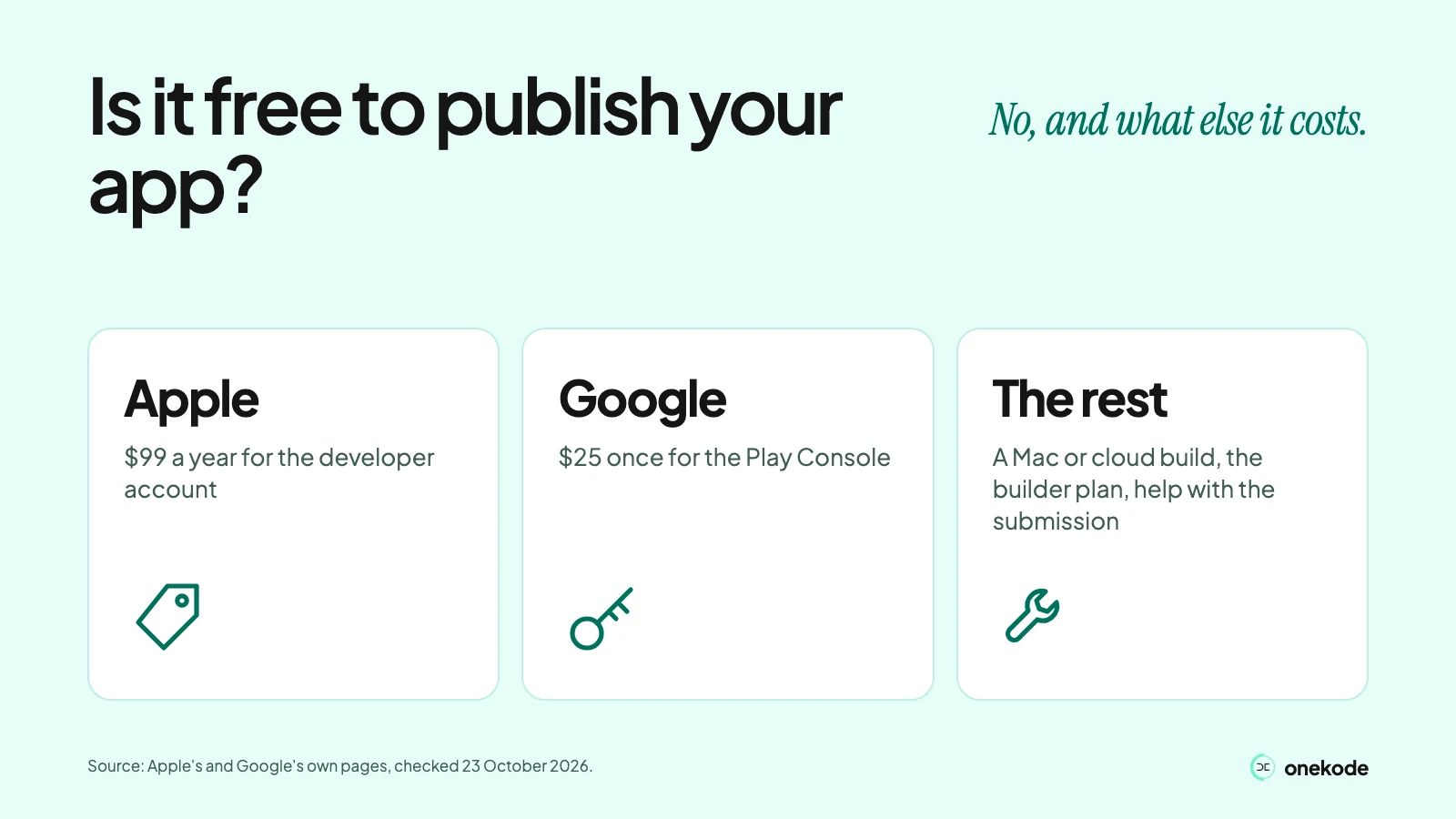
No. Apple charges yearly, Google once. Every cost, including the hidden ones, with the date we checked it.
Fees checked 23 October 2026.
Apple charges $99 a membership year and Google charges $25 once (both checked 23 October 2026). Those are the fees you know about. The Mac or a cloud build, the builder plan that makes a store build, and help with the submission are the costs nobody lists. This page covers both stores and ends with a list you can fill in for your own app.
Is it free to publish an app on the App Store?
No. How much does it cost to publish an app on the App Store? $99 for each membership year, shown in local currency when you enrol (Apple, Become a member, checked 23 October 2026). Google charges $25 once, covered in a later section.
Waivers exist, but only for eligible nonprofits, accredited schools and government bodies. Apple's fee waiver page says the applicant must not be an individual, sole proprietor or single-person business. A founder on their own does not qualify.
If you are hoping to publish an app on the App Store for free, there is no such route. Xcode's free Personal Team lets you run an app on your own devices, up to 3, and its provisioning profiles expire after 7 days. Apple says that "to distribute apps, you'll need to be an Apple Developer Program member" (Compare memberships, checked 23 October 2026). Running an app on your own phone is not publishing it.
A YouTube commenter asked on 5 March 2026 whether the Apple developer account is still 99 dollars a year. Apple's page says $99. One person's question, not research.
What else does it cost to get an app into the stores?
The store fees are the small, known part. These are the costs that catch builder users out.
This view and the order below are ours: the fee is the part you know about. Each cost comes from the vendor's own page.
- A Mac, or a cloud build. Xcode runs on macOS (Xcode system requirements). Capacitor, a common way to wrap a web app, says "To build iOS apps, you will need macOS" (Capacitor docs). Expo's docs say you need Xcode only to create a build on your own computer, so a cloud build is the route without a Mac of your own (Expo docs). Its cloud builds sit on its Free and Starter plans (Expo pricing). Xcode Cloud is not a way round the Mac: it is set up from Xcode, and Apple includes 25 compute hours a month for members who already have one (Xcode Cloud).
- A phone to test on. Google checks that new personal accounts have access to an Android device. Without a Mac you need a real iPhone, because the iOS Simulator runs only on macOS (Expo docs).
- The builder plan that makes a store build. Each line is from the builder's own docs, checked 23 October 2026.
- Lovable: its FAQ says "Not as native apps". You can use a home-screen PWA, or wrap the published URL with a tool such as Capacitor outside Lovable.
- Bolt: the store route is Expo, and you need paid Apple and Google developer accounts (Bolt: Expo).
- Replit: simulator and emulator previews are on the Core plan and up, and iOS upload needs an Apple Developer Program membership. Its docs say publishing to Google Play is "not yet supported by Replit".
- FlutterFlow: One-Click App Store Deployment and Code Download start on the Basic plan (pricing).
- Bubble: it says "A paid plan is necessary for deploying a live version of your app" (pricing).
- Your time on testing. New personal Google accounts must run a closed test before they can publish. It costs time, not money. Our guide to Google's testing step has the detail.
- Someone to submit it. Submitting can be paid work, and founders often pay someone to do it. Whoever does it, the store fees are yours: on Apple's and Google's pages the account holder enrols and pays.
Turning a web app into a store app is its own job: see Can I publish an app I built with Lovable, Replit or another AI builder? This page is not the cost of building the app; for that, read what an app costs.
One Replit poster (21 February 2026) listed what disappears fast: "Tokens, dev account, API usage, domains." It is one person's account, not research.
How much does a developer account cost?
Apple's is $99 a membership year and Google's is $25 once (both checked 23 October 2026).
Both stores take individuals. You do not need a company.
A company account needs a D-U-N-S number. It is free: Apple says organisations can send their details to Dun & Bradstreet for a free one, and Google calls applying for one completely free (Apple, Google). Allow up to 7 business days on Apple: up to 5 from Dun & Bradstreet, then up to 2 for Apple. Apple also asks for a publicly available, working website and a work email on the company's own domain.
Open it in your own name, not a developer's. Our publishing guide explains which account to choose and whose name it goes in.
A builder on r/replit (18 October 2025) said the developer account took about 3 days to approve and another 2 for ID verification, at $99 a year. One person's account, not research.
How much does it cost to publish an app on Google Play?
There is no free way to publish an app on the Play Store: Google charges a $25 one-time registration fee.
The rest is conditions, from Play Console Help (checked 23 October 2026). Prepaid cards are not accepted. You may be asked for a government ID and a credit card, both under your legal name. New personal accounts must verify access to an Android device.
New personal accounts must also pass a testing step before going live. It costs time, not money: our guide has it.
Do the stores take a cut of what I earn?
On a free app, we read it as no commission. On sales, yes.
A free app. Google says "97% of developers distribute their apps … at no charge" (Service fees). Apple's pages charge commission only on paid apps, in-app purchases and subscriptions. That is our reading of those pages.
Selling on Apple. The standard commission is 30% (App Store Schedule 2, section 3.4(a), v127, 13 October 2026, read 23 October 2026). Under the Small Business Program it is 15%: you enrol, and you qualify with up to 1 million USD in proceeds in the prior calendar year. On subscriptions you keep 70% in the first year and 85% after a year of paid service.
Selling on Google. Since 30 June 2026 (US, UK, EEA) and 30 September 2026 (Australia, Japan), the first $1M a year pays a 10% service fee, plus a 5% billing fee when the sale goes through Google Play's billing. The rest depends on the sale; check Google's current table.
Selling inside an iPhone app. Apple's App Review Guidelines (checked 23 October 2026) say: "If you want to unlock features or functionality within your app… you must use in-app purchase." Rules differ by country. See payments in your app.
What happens if I stop paying Apple?
The app leaves the store.
Apple says that "your apps will no longer be available for download and you won't be able to submit new apps or updates". Copies already installed still work. If you renew after it expires, free apps return "within 24 hours" with no resubmission (Program renewal, checked 23 October 2026).
Google's fee is one-time, so there is nothing to renew.
Apple lists no separate fee for updates; you need an active membership to submit them.
Can I put an app on a phone without paying at all?
Yes on your own devices, and no in the stores.
| Route | Free? | The catch |
|---|---|---|
| Your own iPhone, no store | Yes, with a free Apple Account | Up to 3 devices. The app stops after 7 days until you rebuild it |
| Android outside Google Play | Free to install, with limits. Since 30 September 2026, Google's developer verification applies in Brazil, Indonesia, Singapore and Thailand (Android developer verification, timeline, checked 23 October 2026); globally in 2027 (Google, checked 23 October 2026) | Since 30 September 2026, Google's developer verification applies in Brazil, Indonesia, Singapore and Thailand (Android developer verification, timeline, checked 23 October 2026); globally in 2027 (Google, checked 23 October 2026). A free limited-distribution account covers up to 20 devices (Google). This is for apps outside Google Play, not a way in |
| A web app or PWA | Yes, no store fee | Not in either store. Our web or mobile app cost article covers it |
| Updates after launch | Apple lists no separate fee for updates | You need an active Apple membership to submit them. Google's fee is one-time |
Building the app for free is a separate question. See what AI app builders cost.
What will publishing cost you?
At least $99 a year for Apple and $25 once for Google, plus any row below you mark Yes. Work down this list for your own app and mark Yes or No on each row. Nothing is asked in return.
| Cost | What we found | You? |
|---|---|---|
| Apple membership, $99 a year | $99 per membership year, in local currency when you enrol (Apple, checked 23 October 2026) | ☐ Yes ☐ No |
| Google registration, $25 once | One-time fee. Prepaid cards are not accepted (Google, checked 23 October 2026) | ☐ Yes ☐ No |
| Individual, or a company | Both stores take individuals. A company needs a free D-U-N-S number and, on Apple, a working website and email on the company's domain (checked 23 October 2026) | ☐ Yes ☐ No |
| A Mac, or a cloud build | Xcode and Capacitor need macOS to build on your own computer. Expo's docs describe a cloud build for the route without a Mac | ☐ Yes ☐ No |
| An Android phone for Google's check | New personal accounts verify access to an Android device (Google) | ☐ Yes ☐ No |
| The builder plan your route needs | Lovable: wrap outside it. Bolt: Expo. Replit: Core plan and up for previews. FlutterFlow: Basic. Bubble: a paid plan (each builder's docs) | ☐ Yes ☐ No |
| Selling in the app? The store's cut | Apple 30% standard, 15% Small Business Program. Google as in the sales section above | ☐ Yes ☐ No |
| Someone to submit it for you (optional) | Can be paid work. The store fees stay yours | ☐ Yes ☐ No |
Fees and rules from Apple's and Google's own pages, checked 23 October 2026. Plans and rules change, so check the page before you pay.
What should I do next?
Not sure what you built is worth paying store fees for? Send the link. We show you what stays, what needs fixing and what blocks launch.